Register Lost your password?
Full api documentation: full api documentation FREE version full api documentation PRO version

PHPDOCX documentation

To generate a word document, you must activate the support for ZipArchive and XSLT in PHP 5

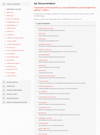
You will find in this section a complete list of the methods included in the latest version of the PHPDOCX library.

Here we include a brief description of each method for your convenience:

  • addBasicHTML: transforms HTML and CSS to WordML and add them into your Word document.
  • addBreak: allows you to insert line or page breaks into your Word document.
  • addChart: inserts different kinds of 2D and 3D graphs and charts. These elements are fully editable within the final Word Document.
  • addDOCX: inserts DOCX files into your Word document
  • addElement: allows you to nest different elements for more sophisticated formatting, e.g. links inside lists, images inside paragraphs, etc
  • addEndnote: adds an endnote in your Word document allowing you, for example, to insert lists of references, etcetera.
  • addFont: adds a new to the document.
  • addFooter: adds a footer to your Word document in order to include the page numbering and other branding elements.
  • addFootnote: inserts a footnote in your Word document.
  • addHeader: adds a header where you can include different elements and fields to customize your Word document.
  • addHTML: inserts HTML and CSS into your Word document.
  • addImage: inserts an image into your Word document. Different file formats are supported such as jpg, gif and png. These images can be scaled and positioned within the document.
  • addLink: inserts a link to an external document or web page into your Word document.
  • addList: inserts lists into your Word document. These lists can be nested and each level can have its own formatting.
  • addMacroFromDoc: inserts a macro in the Word document generating a .docm file. The macro is copied from an preexisting (.docm) document.
  • addMathDocx: inserts a mathematical formula copied from a preexisting Word document.
  • addMathEq: inserts a mathematical formula in OMML format.
  • addMathMML: inserts a mathematical formula in MML format. Please note that you need a copy of MML2OMML.xsl, this file is supplied with Microsoft Word so you should check for possible licensing issues.
  • addMHT: inserts MHT files into your Word document.
  • addProperties: adds properties in document.
  • addRawWordML: adds raw WordML in document.
  • addRTF: inserts RTF files into your Word document.
  • addSection: adds a new section to your Word document. You can apply different formatting to each section.
  • addShape: inserts a shape into your Word document.
  • addTable: inserts a table into your Word document. You can apply advanced formatting to the generated tables.
  • addTableContents: inserts a table of Contents into your Word Document. Please note: the generated TOC needs to be updated either by the user after opening the document or programmatically using a macro.
  • addTemplate: set the document to use as template.
  • addTemplateChart: replaces variables adding charts in Word document.
  • addTemplateCheckBox: replaces variables adding checkbox in Word document.
  • addTemplateImage: replaces images in Word document.
  • addTemplateVariable: replaces text variables in Word document.
  • addText: inserts formatted text into your Word document.
  • addTextBox: inserts a text box into your Word document.
  • addTitle: inserts a title or heading into your Word document. A title is required if you want to generate a table of contents.
  • createDocx: generates the resulting Word document with its general configuration parameters.
  • createDocxAndDownload: generates and downloads the resulting Word document with its general configuration parameters.
  • generatePDF: generates a PDF file based on your Word document (graphs are not included).
  • generateXHTML: generates an XHTML document based on your Word documents (graphs are not included).
  • getTemplateVariables: returns the variables (placeholders) of a template.
  • setDefaultFont: set the default font for whole document.
  • setEncodeUTF8: encode strings to UTF8.
  • setLanguage: change default language.
  • setMarkAsFinal: set the document as final.
  • setTemplateSymbol: set the symbol used for template’s variables.

Be aware that not all of this functionality is available in the free version. The methods that are specific to the Pro version are marked with the icon: Pro Version

You can also check the features list for the differences between both versions.


    16 Responses

  • Uttam Kadam

    How it is possible to edit existing document with so formatting like adding header /footer to existing document.

  • glen

    provide a method to place inline tags in the text. for example italics, bold, subscript, superscript, underline, etc.

  • biscuits

    Hello,

    I would like to test the functionality of PHPDocx. I’ve already downloaded the librairie but when i tried to run the “Text_Simple.php”, i got this error :

    Parse error: parse error, expecting `T_STRING’ in C:\wamp\www\PHPDocx\php5\classes\cCreateDocx.inc on line 12

    Line 12 in cCreateDocx.inc = const NAMESPACE = ‘w’;

    Is it normal? Could someone help me with this error….. please.

  • admin

    Hi,

    The error occurs using PHP 5.3. The next version of phpdocx will solve this issue.

  • man

    When will the new release with the fix for PHP 5.3 be released?

  • Anthony

    I too would like to know when the fix for 5.3 will be available.

    Thank you

  • Jojo

    The reason of this issue is that ‘NAMESPACE’ has become a reserved name in PHP 5.3. A simple workaround until the fix is released is to to replace all occurrences of NAMESPACE in the files inside the ‘classes’ directory by something else like ‘_NS’. It worked for me with the free version.
    Cheers

  • Mirulu

    A beta version did solve the problem of php 5.3?

    Thank you

  • Anthony

    I have changed all occurences of NAMESPACE to _NS and now the script runs but word 2007 reports “The file ejemplo_texto_simple.docx cannot be opened because there are problems with the contents - The file is corrupt and cannot be opened”. I suspect that there is more than just the NAMESPACE issue to be fixed.

  • MS

    Any progress in this issue?

  • Guru

    How to make histogram graphic ?

  • guru

    Warning: ZipArchive::getFromName() [function.ZipArchive-getFromName]:
    Invalid or unitialized Zip object
    in /home/admin/domains/XXXX.com/public_html/phpdocx/classes/cTransformDoc.inc on line 103

    Notice: Trying to get property of non-object in /home/admin/domains/XXXXX.com/public_html/phpdocx/classes/cTransformDoc.inc on line 105

    Warning: Invalid argument supplied for foreach() in /home/admin/domains/XXXXX.com/public_html/phpdocx/classes/cTransformDoc.inc on line 105

    Warning: ZipArchive::getFromName() [function.ZipArchive-getFromName]: Invalid or unitialized Zip object in /home/admin/domains/XXXXX.com/public_html/phpdocx/classes/cTransformDoc.inc on line 136

    Notice: Trying to get property of non-object in /home/admin/domains/XXXXX.com/public_html/phpdocx/classes/cTransformDoc.inc on line 138

    Warning: Invalid argument supplied for foreach() in /home/admin/domains/XXXXX.com/public_html/phpdocx/classes/cTransformDoc.inc on line 138

    Warning: require_once(/home/admin/domains/XXXXX.com/public_html/phpdocx/pdf/include/tidy.cls.php) [function.require-once]: failed to open stream: No such file or directory in /home/admin/domains/XXXXX.com/public_html/phpdocx/pdf/dompdf_config.inc.php on line 194

    Fatal error: require_once() [function.require]: Failed opening required ‘/home/admin/domains/XXXXX.com/public_html/phpdocx/pdf/include/tidy.cls.php’ (include_path=’.:/php/includes:’) in /home/admin/domains/XXXXX.com/public_html/phpdocx/pdf/dompdf_config.inc.php on line 194

  • guru

    when trying to test the creation of a doc
    via http://www.xxxx.com/phpdocx/examples/Text_simple.php
    all i get is a blank page and a throwing message : Error

  • guru

    by the way how to make a table of contents in a doc ?

  • yash

    Hi,
    I am getting blank document ,when i am executing example scripts which is given by you. i also checked error but only notices are coming
    how i can resolved this ? i am using PHP 5.2 version
    can you please help me

    Thanks
    Yash

  • Reza Haghighi

    Is your class support right to left direction for text?