 Log in
 Contact
 Forum
Forum
HTML Standard: <mark> tag

- <a>
- <b>, <strong>
- <br>
- <caption>, <figcaption>
- <div>
- <dl>, <dt>, <dd>
- <h1>, <h2>, <h3>, <h4>, <h5>, <h6>
- <hr>
- <i>, <em>, <cite>, <var>
- <input>
- <img>
- <mark>
- <p>, <address>, <blockquote>
- <pre>
- <s>
- <select>, <option>
- <small>
- <span>
- <sub>
- <sup>
- <table>, <tr>, <td>, <th>
- <textarea>
- <u>, <ins>, <del>
- <ul>, <ol>, <li>
- <math>
- <meta>
- <phpdocx_barcode>
- <phpdocx_bibliography>
- <phpdocx_bookmark>
- <phpdocx_break>
- <phpdocx_caption>
- <phpdocx_citation>
- <phpdocx_comment>
- <phpdocx_crossreference>
- <phpdocx_dateandhour>
- <phpdocx_endnote>
- <phpdocx_footer>
- <phpdocx_footersection>
- <phpdocx_footnote>
- <phpdocx_formelement>
- <phpdocx_header>
- <phpdocx_headersection>
- <phpdocx_heading>
- <phpdocx_image>
- <phpdocx_link>
- <phpdocx_mathequation>
- <phpdocx_mergefield>
- <phpdocx_modifypagelayout>
- <phpdocx_ole>
- <phpdocx_onlinevideo>
- <phpdocx_pagenumber>
- <phpdocx_ruby>
- <phpdocx_section>
- <phpdocx_shape>
- <phpdocx_simplefield>
- <phpdocx_structureddocumenttag>
- <phpdocx_tableauthorities>
- <phpdocx_tablecontents>
- <phpdocx_tablefigures>
- <phpdocx_text>
- <phpdocx_textbox>
- <phpdocx_wordfragment>
- <phpdocx_wordml>
- <svg>
- <title>
<mark> tag
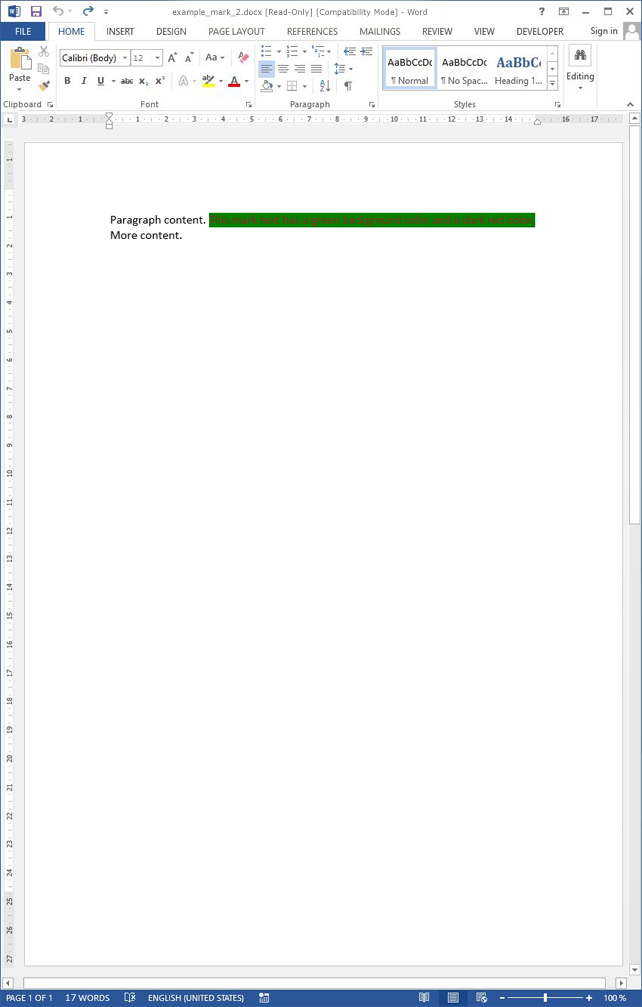
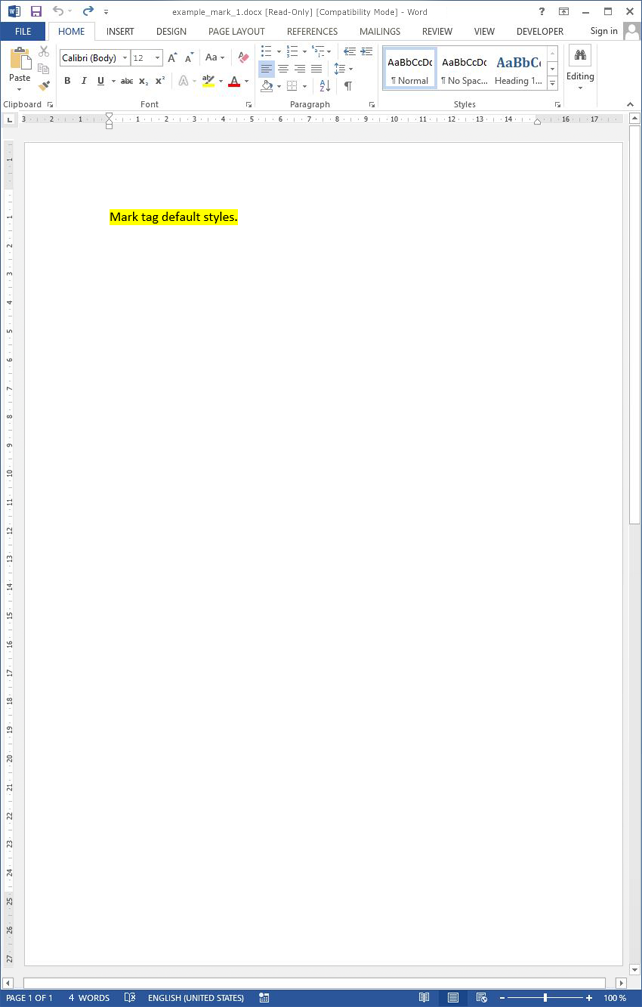
Inserts a highlighted text.
This tag can be replaced by a CSS style.
By default, phpdocx applies a shading style to mark tags rather than a text highlight style. In MS Word, shading allows RGB colors, while highlight styles are limited to a predefined set of colors. phpdocx applies a highlight color as shading style to support RGB colors and avoid this MS Word limitation/requirement. If, instead of a shading color, a highlight color must be applied, the data-highlight option available in CSS Extended can be used.
| Attribute | Description |
|---|---|
| class | One or more classes. |
| id | Id. |
| style | Inline styles. Styles can also be applied using style tags. |
| Style | Description |
|---|---|
| background-color |
|
| color |
|
| direction |
|
| display |
|
| font-family |
|
| font-size |
|
| font-stretch |
|
| font-style |
|
| font-variant |
|
| font-weight |
|
| letter-spacing |
|
| text-decoration |
|
| text-decoration-color |
|
| text-decoration-style |
|
| text-transform |
|
| vertical-align |
|
Using createCharacterStyle and HTML, custom character styles can be applied to use more styles.
| Attribute | Description |
|---|---|
| data-lang | Set a custom language: language-region (en-US). |
| data-rpr | Applies a custom rPr style. |
| Style | Description |
|---|---|
| data-color | Sets to "initial" to avoid applying a color. |
| data-em |
Emphasis mark type:
|
| data-custom | Custom rPr style. |
| data-font-family | Sets to "initial" to avoid applying a font family. |
| data-font-size | Sets to "initial" to avoid applying a font size. |
| data-highlight | Highlight style: black, blue, cyan, green, magenta, red, yellow, white, darkBlue, darkCyan, darkGreen, darkMagenta, darkRed, darkYellow, darkGray, lightGray. |
Example #1

The resulting Word document looks like:
Example #2
The resulting Word document looks like: