
 Log in
 Contact
 Forum
Forum
importStyles

- addBibliography
- addBookmark
- addBreak
- addCaption
- addChart
- addCitation
- addComment
- addCrossReference
- addDateAndHour
- addEndnote
- addExternalFile
- addFootnote
- addFormElement
- addHeading
- addImage
- addIndex
- addLink
- addList
- addMathEquation
- addMergeField
- addOLE
- addOnlineVideo
- addPageNumber
- addRuby
- addShape
- addSimpleField
- addSource
- addStructuredDocumentTag
- addSVG
- addTab
- addTable
- addTableAuthorities
- addTableContents
- addTableFigures
- addText
- addTextBox
- addWordFragment
- addWordML
- embedHTML
- markEntry
- addBackgroundImage
- addFooter
- addFooterSection
- addHeader
- addHeaderSection
- addLineNumbering
- addMacroFromDoc
- addPageBorders
- addProperties
- addSection
- createDocx
- createDocxAndDownload
- createCharacterStyle
- createListStyle
- createParagraphStyle
- createTableStyle
- docxSettings
- embedFont
- importChartStyle
- importHeadersAndFooters
- importListStyle
- importStyles
- importStylesWordDefault
- importTheme
- modifyPageLayout
- parseStyles
- removeFooters
- removeHeaders
- setBackgroundColor
- setDecimalSymbol
- setDefaultFont
- setDocumentDefaultStyles
- setEncodeUTF8
- setLanguage
- setMarkAsFinal
- setRTL
- clearBlocks
- cloneBlock
- deleteBlock
- getTemplateVariables
- getTemplateVariablesType
- modifyInputFields
- modifyMergeFields
- processTemplate
- removeTemplateVariable
- removeTemplateVariableImage
- replaceBlock
- replaceListVariable
- replacePlaceholderImage
- replaceTableVariable
- replaceVariableByExternalFile
- replaceVariableByHtml
- replaceVariableByText
- replaceVariableByWordFragment
- replaceVariableByWordML
- setTemplateSymbol
- setTemplateBlockSymbol
- tickCheckboxes

importStyles
 TRIAL / ADVANCED / PREMIUM
Imports Word styles from an external Word document.
This method allows to import Word styles from an external Word document.
You may replace the whole stylesheet or just import a certain list of predefined styles.
If you need to know which styles are available for importation from an external Word document you may use the parseStyles method.
path
The path to the Word document from which you want to import the styles.
type
The available options are:
- 'replace: overwrite the whole stylesheet.
- 'merge': import only the styles listed in the $myStyles array.
myStyles
An array with all the names of the styles that you wish to import. You may use the parseStyles($path) method to discover which styles are available.
styleIdentifier
The possible values are:
- 'styleName' (default value) if you wish to identify the styles included in $myStyles array by their name.
- 'styleID' if you want to use their id.
Error opening the file.
Example #1

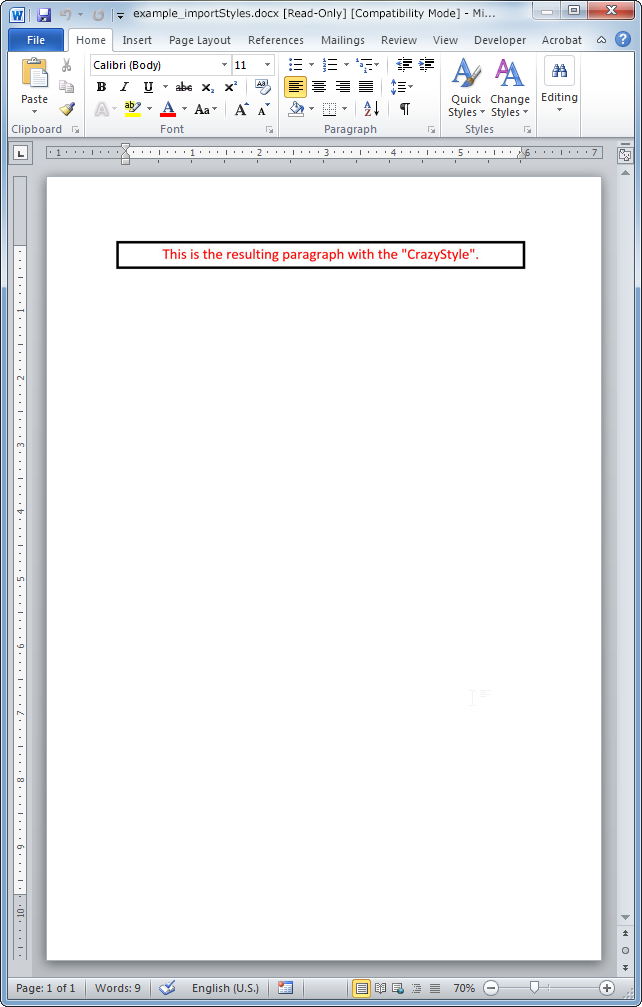
The resulting Word document looks like:
Example #2
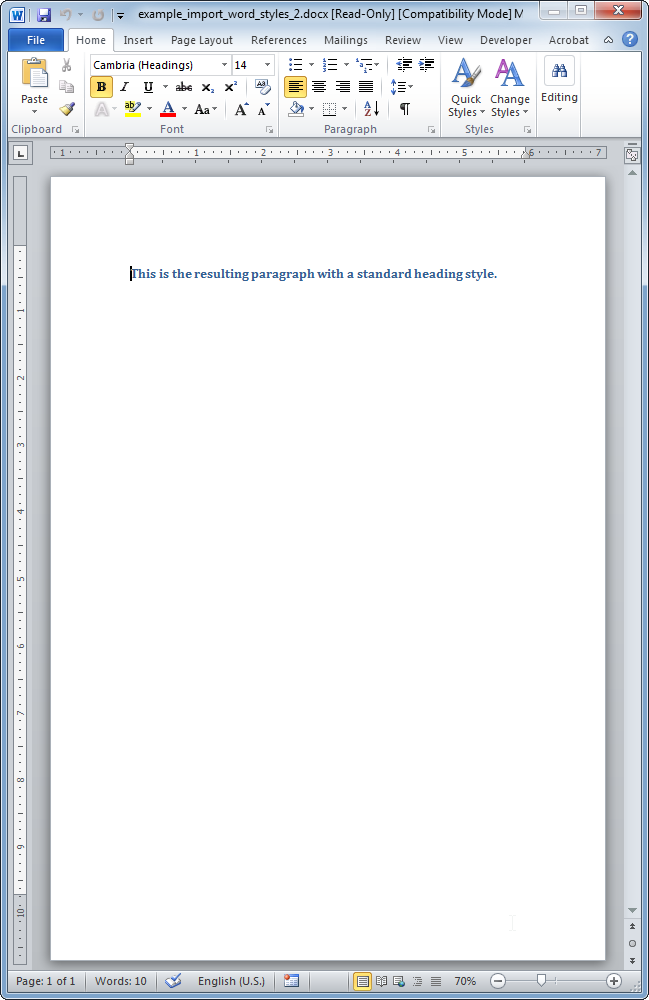
The resulting Word document looks like:
- phpdocx 12.0:
- supported linked numbering styles.
- set a random name value when importing a custom paragraph style with a numbering style.
- phpdocx 10.0:
- in-memory DOCX documents.