
 Log in
 Contact
 Forum
Forum
embedHTML

- addBarcode
- addBibliography
- addBookmark
- addBreak
- addCaption
- addChart
- addCitation
- addComment
- addCrossReference
- addDateAndHour
- addEndnote
- addExternalFile
- addFootnote
- addFormElement
- addHeading
- addImage
- addIndex
- addLink
- addList
- addMathEquation
- addMergeField
- addOLE
- addOnlineVideo
- addPageNumber
- addRuby
- addShape
- addSimpleField
- addSource
- addStructuredDocumentTag
- addSVG
- addTab
- addTable
- addTableAuthorities
- addTableContents
- addTableFigures
- addText
- addTextBox
- addWordFragment
- addWordML
- embedHTML
- markEntry
- addBackgroundImage
- addFooter
- addFooterSection
- addHeader
- addHeaderSection
- addLineNumbering
- addMacroFromDoc
- addPageBorders
- addProperties
- addSection
- createDocx
- createDocxAndDownload
- createCharacterStyle
- createListStyle
- createParagraphStyle
- createTableStyle
- docxSettings
- embedFont
- importChartStyle
- importHeadersAndFooters
- importListStyle
- importStyles
- importStylesWordDefault
- importTheme
- modifyPageLayout
- parseStyles
- removeFooters
- removeHeaders
- setBackgroundColor
- setDecimalSymbol
- setDefaultFont
- setDocumentDefaultStyles
- setEncodeUTF8
- setLanguage
- setMarkAsFinal
- setRTL
- clearBlocks
- cloneBlock
- deleteBlock
- getTemplateVariables
- getTemplateVariablesType
- modifyInputFields
- modifyMergeFields
- processTemplate
- removeTemplateVariable
- removeTemplateVariableImage
- replaceBlock
- replaceListVariable
- replacePlaceholderImage
- replaceTableVariable
- replaceVariableByExternalFile
- replaceVariableByHtml
- replaceVariableByText
- replaceVariableByWordFragment
- replaceVariableByWordML
- setTemplateSymbol
- setTemplateBlockSymbol
- tickCheckboxes

embedHTML
 TRIAL / ADVANCED / PREMIUM
Inserts HTML content into the Word document.
This method allows the insertion of HTML into the current Word document.
Practically all HTML tags and CSS styles are supported.
This method transforms HTML directly into WordML and it is compatible with any DOCX reader such as LibreOffice, OpenOffice, Google Docs and others.
You may find a more detailed explanation of this useful method in the HTML to Word section of the API documentation.
To embed accents and other non-ASCII characters such as á or ü, please check that the PHP Tidy extension and the PHP mbstring extension are installed and enabled.
To embed symbols such as ∞ or Ω, please check that the PHP mbstring extension is installed and enabled.
To download images from remote URLs, please check that allow_url_fopen is enabled in the PHP config. If the remote images use HTTPS, please check that PHP is using a valid certification file and the SSL configuration is correct: More information.
If PHP Tidy can't be installed on the server, the forceNotTidy option can be enabled to transform HTML without using PHP Tidy. Please check Tips to convert HTML to Word (Transforming HTML without Tidy section) for more information.
html
The HTML code to be translated into WordML: it could be a string or the path to a file.
options
The possible keys and values are:
| Key | Type | Description |
|---|---|---|
| addDefaultStyles | bool | True as default, if false prevents adding default styles when strictWordStyles is false. |
| baseURL | string | The base URL used to complete the relative paths of links and images. |
| cssEntityDecode | bool | If true uses html_entity_decode to parse CSS, useful when using font families with non-ASCII names. |
| customListStyles | bool | If true checks if there is a custom list style with that name and uses it. |
| disableWrapValue | bool | If true disable using a wrap value with Tidy to prevent extra blank spaces. Default as false. |
| downloadImages | bool | If true inserts the images into the docx document, otherwise just links them as an external source. |
| embedFonts | bool | If true downloads and embeds TTF fonts from @font-face rules. False as default. Only available in Premium licenses. |
| filter | string | Only renders the filtered contents. It could be an string denoting an id ('#myId'), a class ('.myClass'), a HTML tag or a valid XPath expression ('//expression'). |
| forceNotTidy | bool | False as default. If true, avoid using Tidy. Only recommended if Tidy can't be installed. |
| generateCustomListStyles | bool | If true generates automatically the custom list styles from the list styles (decimal, lower-alpha, lower-latin, lower-roman, upper-alpha, upper-latin, upper-roman). |
| isFile | bool | True for URLs and false for strings. Default as false. |
| parseAnchors | bool | If true parses the anchors included in the HTML code. |
| parseCSSVars | bool | If true parses CSS variables. |
| parseDivs | string | paragraph or table. By default the method parses the div elements as containers. |
| parseFloats | bool | If true preserves the floating properties of images and tables. |
| removeLineBreaks | bool | If true removes extra line breaks that can be generated when transforming HTML that includes strings without a parent tag. |
| streamContext | resource | Stream context to download images. |
| strictWordStyles | bool | If true ignores almost all CSS styles and uses the styles set via the wordStyles option (see next). |
| useHTMLExtended | bool | If true allows using HTML Extended tags. False as default. Only available in Premium licenses. |
| wordStyles | array | One may associate different Word styles to HTML classes, ids or tags.
For example:
|
PHP Tidy is not available and forceNotTidy is false.
Example #1

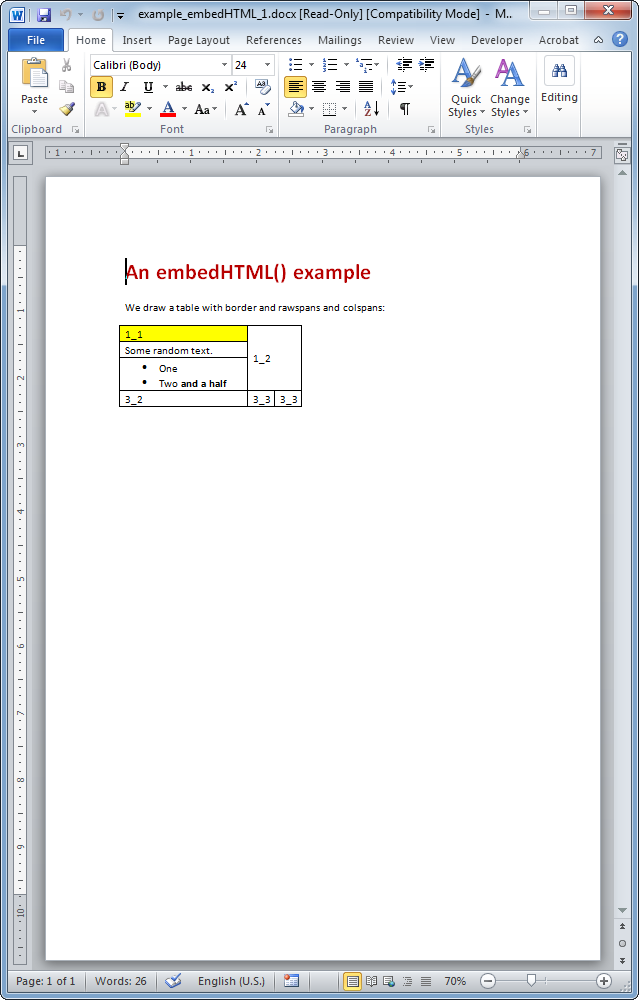
The resulting Word document looks like:
Example #2
The resulting Word document looks like:

- phpdocx 17.5:
- phpdocx_barcode tag (HTML Extended).
- normalized highlight dark and light color values when using data-highlight (HTML Extended).
- normalized em values when using data-em (HTML Extended).
- removed a PHP Warning when adding invalid tables and @ (shut-up) operator is disabled.
- added an additional check to prevent duplicate define calls.
- phpdocx 17.0:
- phpdocx_footersection, phpdocx_headersection, phpdocx_ruby tags (HTML Extended).
- list overrides support multiple sublevels (HTML Extended).
- improved adding alpha color styles.
- supported #rgba format to apply colors.
- improved adding images with encoded characters in file names.
- improved performance when adding local file images without setting a baseURL.
- extra check to avoid a PHP Warning when adding local images and SVG, and @ (shut-up) operator is disabled.
- phpdocx 16.0:
- phpdocx_caption, phpdocx_tableauthorities tags (HTML Extended).
- parentId attribute in phpdocx_comment to reply comments (HTML Extended).
- apply custom base URLs with HTML Extended tags.
- phpdocx_tablefigures supports setting a custom style.
- silent a PHP Exception when adding a not valid SVG.
- silent a PHP Warning from exif_imagetype when adding a not valid remote image.
- phpdocx 15.5:
- extra check to avoid a PHP notice when using an invalid text align value.
- removed @ (shut-up) operator to get list ids and table sizes.
- improved adding ordered lists as sublists when the list type is autodetected.
- phpdocx 15.0:
- CSS variables.
- WebP images.
- max-width and max-height styles in images (CSS Extended).
- alt attribute as descr value in images.
- streamContext option to set a stream context to download images.
- root and only-child selectors.
- improved CSS media query handling.
- CSS 8-digit HEX colors added as 6-digit HEX colors.
- removed a PHP Warning when adding an invalid border color.
- streamContext option.
- default HTML content when adding an empty content.
- reordered extended tags with the parseFloats option enabled to avoid an error message using an outdated version of MS Word 2007.
- phpdocx 14.5:
- improved line breaks between input tags.
- stylesReplacementType allow paragraphs with empty styles (HTML Extended).
- phpdocx_pagenumber supported as inline content (HTML Extended).
- removed a mb_convert_encoding deprecated message when transforming HTML with PHP 8.2 or newer.
- phpdocx 14.0:
- autofit as table-layout style.
- white-space noWrap in cells.
- multiple text-decoration styles to the same content.
- style "data-outline-level: none" for headings (CSS Extended).
- 	 to add tabs (HTML Extended).
- style "data-fit-text" for cell contents (CSS Extended).
- phpdocx_ole (HTML Extended).
- mark styles in phpdocx_endnote and phpdocx_footnote tags (HTML Extended).
- pStyle and rStyle attributes in phpdocx_comment, phpdocx_endnote and phpdocx_footnote tags (HTML Extended).
- phpdocx 13.5:
- inches and cms to set image sizes.
- improved comments, endnotes and footnotes as inline contents (HTML Extended).
- data-type attribute (HTML Extended).
- multiple comments, endnotes and footes in the same content (HTML Extended).
- phpdocx_citation and phpdocx_bibliography tags (HTML Extended).
- improved working with list override styles as sublevels (HTML Extended).
- empty paragraph added as default in empty cells includes a default spacing style.
- phpdocx 13.0:
- "~" selector.
- "data-font-size: initial" style (CSS Extended).
- improved br tags when being added before list tags.
- new issets when reading CSS styles.
- check images without a src attribute to avoid a PHP Warning using PHP 8.
- hide PHP warnings shown by specific custom error levels when no standard tags are used with PHP DOM loadHTML.
- phpdocx 12.5:
- a tags wrapping images add hyperlink element (hlinkClick) to the image.
- mix standard HTML tags and HTML Extended tags (HTML Extended).
- replace 0xa0 characters by blank spaces (HTML Extended).
- data-highlight style (CSS Extended).
- static variable (HTML2WordML::$scaleImageFactor) to customize the default scale factor when adding images (7200 as default).
- phpdocx 12.0:
- no direction style set as default.
- descr default value when adding base64 images to avoid a PHP warning with PHP 8.
- improved parseAnchors option when the anchor tag is not added in a paragraph.
- float casting to sizes to avoid a warning when using PHP 8 and not valid values.
- phpdocx 11.0:
- new HTML API: more than 90 new supported tags, attributes and styles.
- CSS Extended.
- SVG support to add images as URL, base64 and using svg tags.
- mixPlaceholderStyles option (HTML Extended).
- block contents embedded in other tags (HTML Extended).
- phpdocx_onlinevideo tag (HTML Extended).
- transform HTML tabs (	) (HTML Extended).
- MathML equations.
- changed the order of \n and \r\n using the removeLineBreaks option.
- set 9999999999 as default wrap value when using Tidy to prevent Tidy versions not working correctly with 0 value to avoid extra blank spaces.
- lists with and without custom list styles can be added at the same time when setting customListStyles as true.
- DefaultParagraphFontPHPDOCX as default rStyle when generating links.
- limited numId values in lists to 32767 to support restrictions from the new MS Word revisions.
- extra check to get the correct image type when working with image streams.
- phpdocx 10.0:
- addBaseCSS method (HTML Extended).
- stylesReplacementType option (HTML Extended).
- supported overwriting styles in level lists (HTML Extended).
- HTML tabs ( ) (HTML Extended).
- set targets to tag contents (HTML Extended).
- do not use a temp folder when adding an image with PHP 5.4 or newer.
- clean gridCol 0 values, tables with not all widths set can be used.
- cssEntityDecode option.
- forceNotTidy option.
- supported applying custom list styles to ol tags.
- phpdocx 9.5:
- padding-left and padding-right styles for table cell margins.
- run-of-text styles for checkboxes and radio buttons.
- supported font-weight 700, 800 and 900 as bold values.
- supported custom character styles in span tags.
- supported text-align in run-of-text styles.
- phpdocx 9.0:
- HTML Extended.
- performance improvements.
- supported custom paragraph styles in li tags.
- supported start attribute in ol tags.
- removed PHP notices using PHP 7.2 or newer.
- removed the Font_Metrics error when using not valid fonts.
- disableWrapValue option.
- extra check to detect the image file extension.
- static wordML variable in HTML2WordML has been replaced by a protected variable.
- phpdocx 8.5:
- generateCustomListStyles option.
- base64 images.
- downloadImages option as true by default.
- replaced the create_function function if PHP 5.3 or newer. Replaced by an anonymous function.
- phpdocx 8.0:
- nth-child, nth-of-type, first-of-type and last-of-type selectors.
- figcaption tag.
- color and width for hr, margin-left and margin-right for td, auto and fixed for table-layout styles.
- removeLineBreaks and addDefaultStyles options.
- phpdocx 7.5:
- supported stream images.
- improved tables with colspan or rowspan values.
- phpdocx 7.0:
- supported RTL in lists.
- phpdocx 6.5:
- performance improvements.